Manage a Transformer
You can view, edit and delete transformers from To view and manage transformers:
Log on to ASI and navigate to Event Management
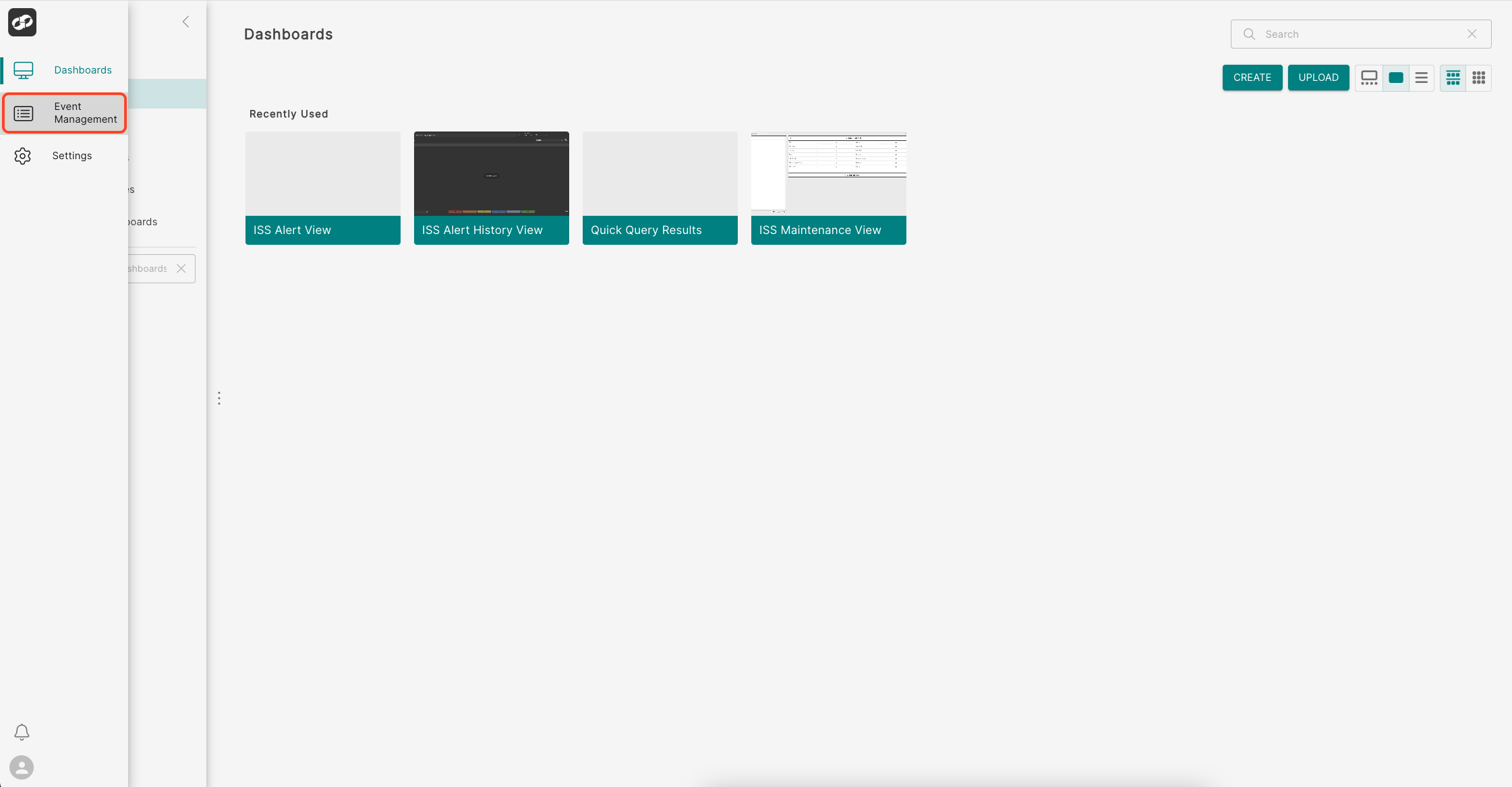
From the index on the left, select Transformers
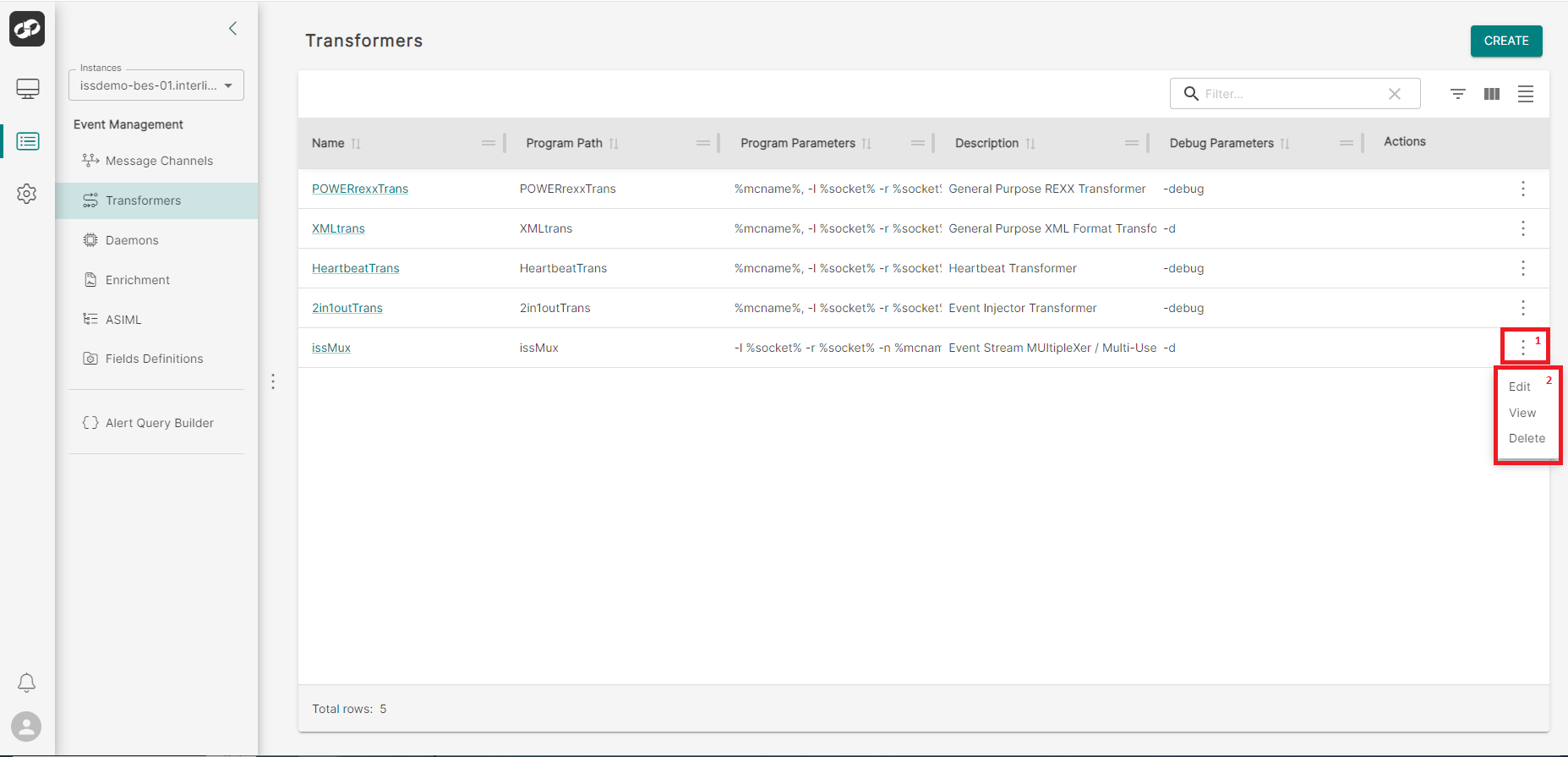
The configured transformers will be displayed on this page, allowing you to manage them efficiently.
- To access available actions, click the three vertical dots (Box 1) to open the options menu (Box 2), where you can choose to Edit, View, or Delete a transformer.
- To view detailed information about a transformer, click its name.
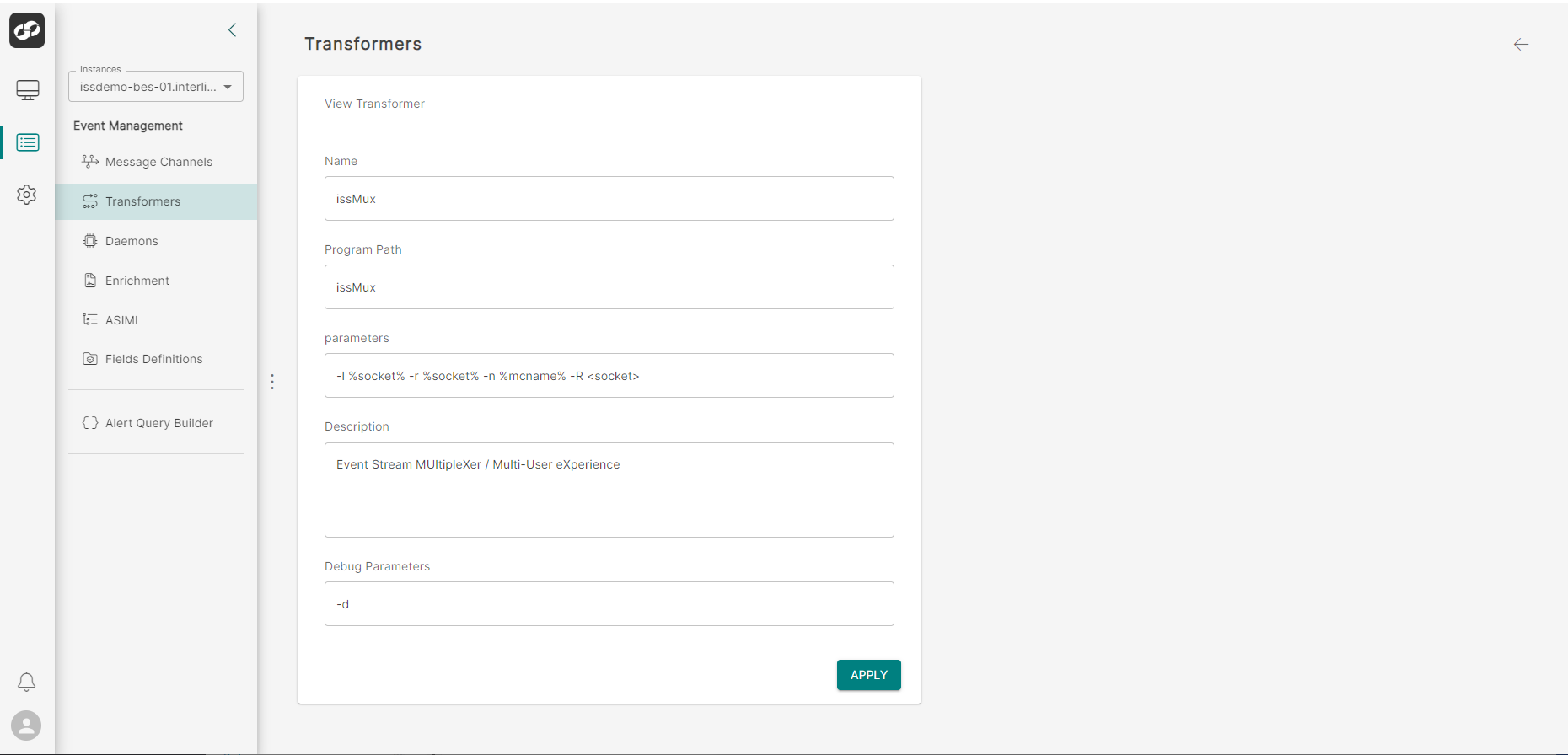
You will be presented with the configured details for the transformer.